

PRODUCT
Everything VOLO does for your sales day.
VOLO logs your email, calls and meetings for you, coaches you around every conversation and drafts your follow ups. You approve what goes out.
ACTIVITY LOG
The activity log
fills itself.
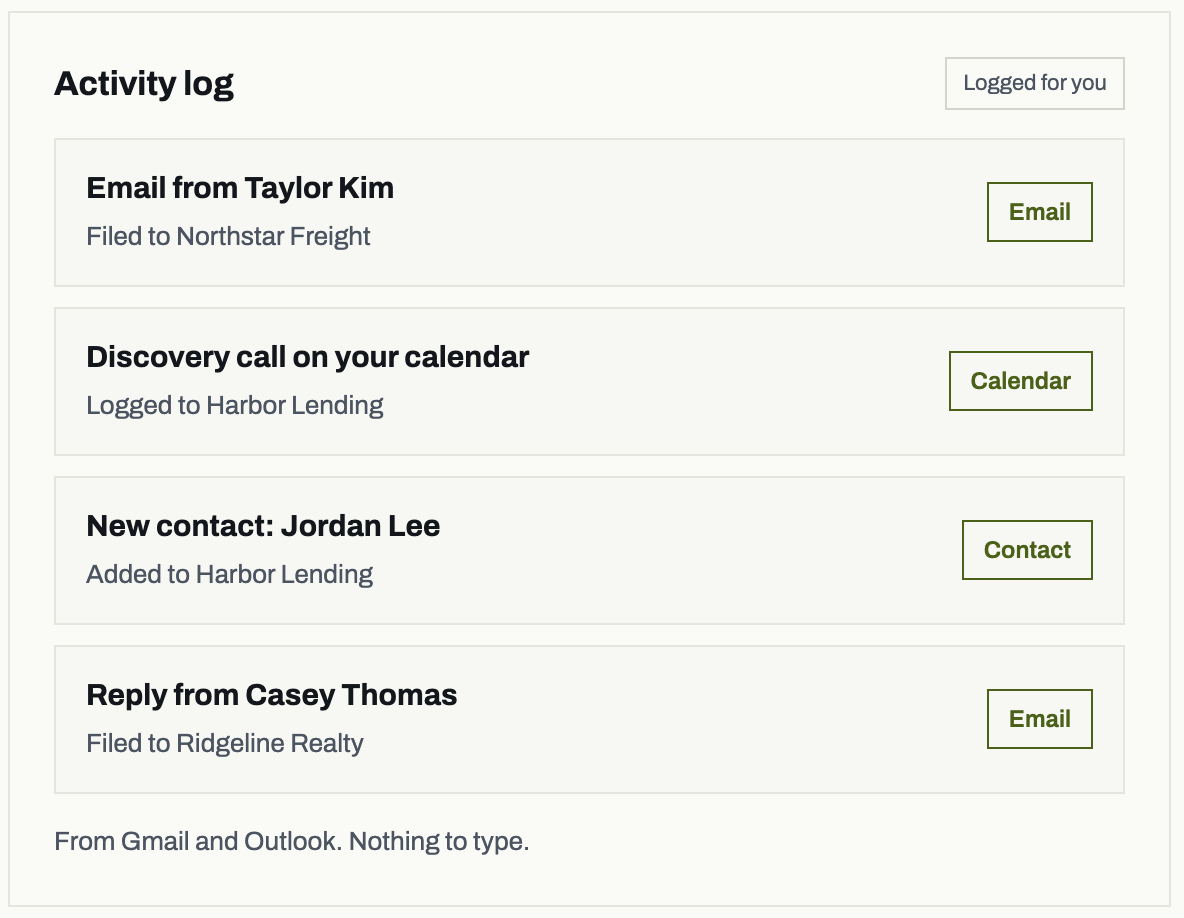
VOLO reads email and calendar from Gmail and Outlook and files every message, meeting and new contact to the right account. Every account stays current, and nobody types a thing.
From Gmail and Outlook. Nothing to type.
TODAY AND TODAY’S BRIEFING
Know who needs you before you open your inbox.
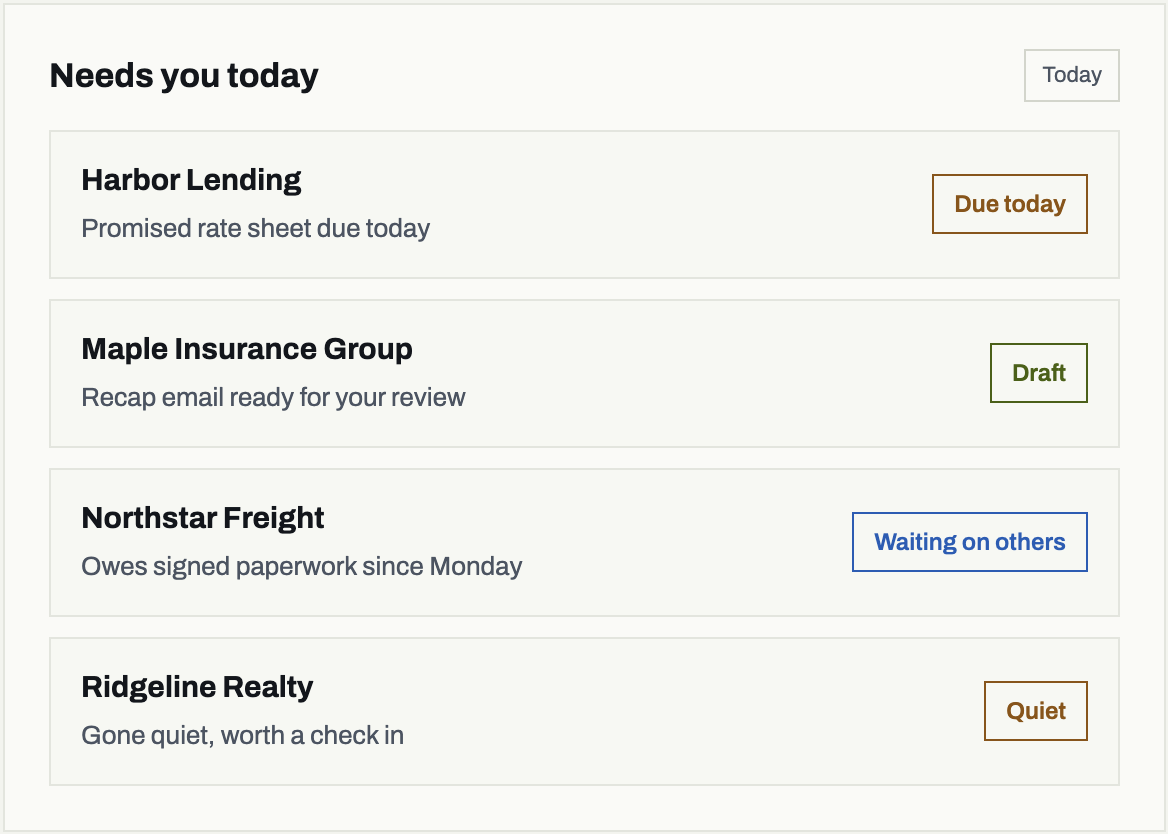
Today shows who needs you, what you promised and what customers owe you, listed under Waiting on others. Your briefing sums up the day so you can start with what matters.

COACHING
Coaching before, during
and after every meeting.
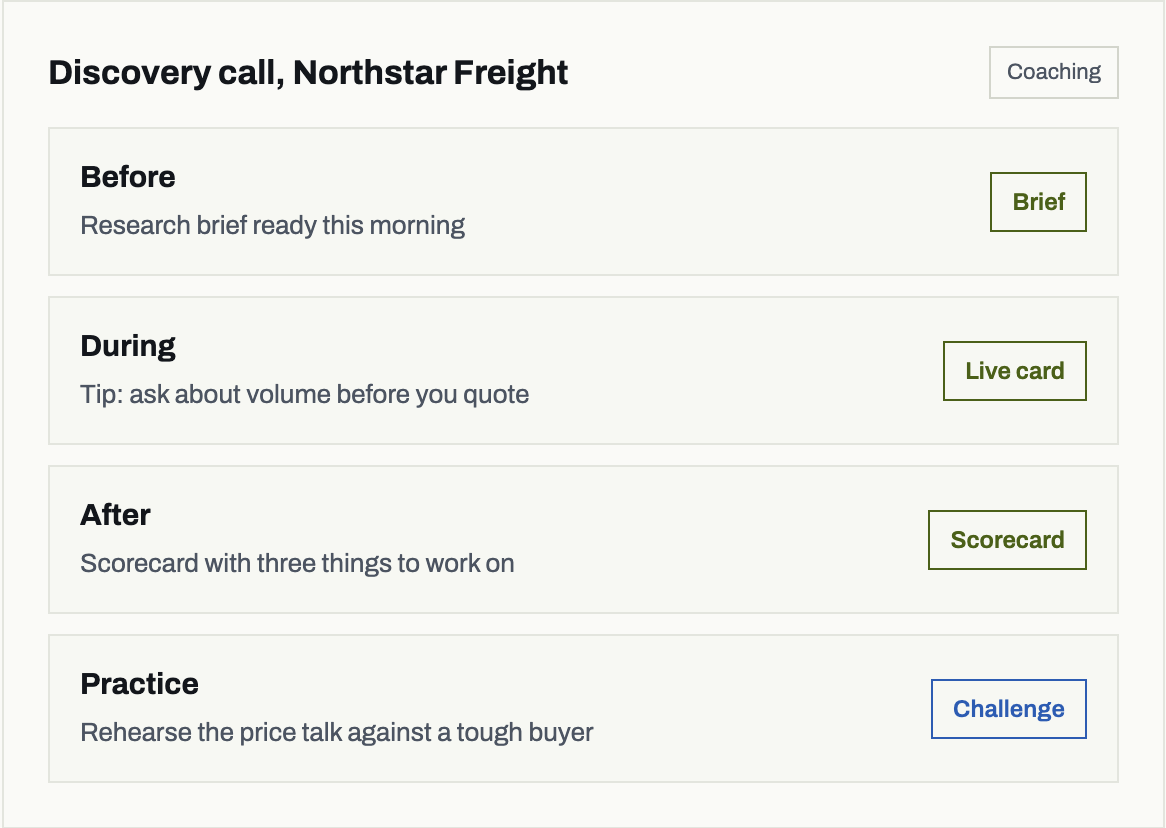
A research brief is ready each morning before your outside meetings. During the call a live coaching card suggests your next move and stays quiet while you share your screen. Afterward you get a scorecard and next steps. A quick microphone check runs before you record. Challenge mode lets you practice against a tough buyer before it counts.
Live coaching and scorecards run while VOLO records your meeting.
Ask VOLO example
Sample data
Your question
“What are our payment terms with Maple Insurance Group?”
Answer
“Net 30, per the contract uploaded in August.”
FROM
Maple Insurance Group contract, in your Knowledge base
ASK VOLO
Answers from
your own files.
Upload your rate sheets, contracts and lists, then ask VOLO. The answer comes from your own files and history, with the source shown.
LEAD GENERATOR
Turn quiet accounts
into booked business.
VOLO finds the customers who quoted once, shipped once or went quiet, ranks who to call first, and writes a follow up for each one in your voice. It lands in your drafts, and you decide what goes out. Then it tracks the replies, quotes and bookings that follow.
Nothing sends until you approve it.
Who to call first
Drafts ready
1
Harbor Lending
Asked for a quote, never booked
Draft ready
2
Ridgeline Realty
Bought once in the spring, quiet since
Draft ready
3
Maple Insurance Group
Went quiet after the last proposal
Draft ready
4
Northstar Freight
Replied to the follow up, quote requested
Replied
FORECASTING
Forecasts built on
what’s really happening.
Every deal sits in Commit, Best case or Pipeline, with quota and the gap to it for each rep and the whole team. VOLO flags deals at risk from real activity, like a customer who has gone quiet, a promise that is overdue or a close date pushed twice, not just what was typed in. Managers see what moved week over week and which deals need attention.
Team forecast, this quarter
Sample data
| Rep | Commit | Best case | Pipeline | Quota | Gap |
|---|---|---|---|---|---|
| Dana Brooks | $142K | $188K | $310K | $200K | $58K |
| Luis Ortega | $96K | $131K | $240K | $150K | $54K |
| Priya Shah | $171K | $205K | $285K | $180K | $9K |
| Team | $409K | $524K | $835K | $530K | $121K |
At risk 3 deals
Harbor Lending
Customer has gone quiet for two weeks
Gone quiet
Ridgeline Realty
Promised pricing is three days overdue
Overdue
Maple Insurance Group
Close date pushed twice this quarter
Pushed twice
Moved this week: Commit up $18K, two deals slipped to Best case.
YOUR CRM, YOUR CHOICE
Use it as your CRM,
or connect the one you have.
Available today: Gmail and Google Calendar. Outlook and Microsoft 365 mail and calendar. Zoom, Google Meet and Microsoft Teams through VOLO Notetaker. VOLO for Gmail and VOLO for Outlook side panels.
Add-ons, set up with our team: Slack. RingCentral (calls logged to the activity log, with coaching on recorded calls). TMS: McLeod and Turvo, read only.
Bring your data over: Import from Salesforce or HubSpot.
On request: other TMS, ERP, loan software and phone systems, scoped on the demo.
Run on VOLO
Contacts, deals and activity in one place
VOLO
Keep your CRM
Connect VOLO to it. Your accounts, contacts and history come in from Salesforce or HubSpot, usually in about a day, and we build a live link through your CRM's API with you during onboarding.
Connect
Your CRM, your choice
Imports usually take about a day.
YOU STAY IN CHARGE
You approve
everything.
Every follow up VOLO writes lands in your drafts folder. You review it, change what you like and click send. Nothing sends on its own.
VOLO writes the draft. You decide what is sent.
Draft follow up
In your drafts folder
To Taylor Kim, Northstar Freight
Subject Revised numbers for Thursday
Hi Taylor, as promised, here are the revised numbers we talked through on our call. Happy to walk through them whenever works for you.
Review and send
Edit
RUN YOUR PIPELINE
Built to run your whole pipeline.
The tools your team and your managers use every day, set up the way your company sells.
Rep scorecards
A scorecard for every rep, including how fast they reply to customers.
Report builder
Build the report you need and have it delivered on a schedule.
Sequences
Follow up steps that turn into drafts. The rep always clicks send.
Custom fields and stages
Your own fields and pipeline stages, set up for your company.
Saved views and bulk edit
Save the filters you use, update many records at once and Undo any change.
Duplicates merged
Duplicate contacts are found and merged, so every account stays clean.
Contact lists
Upload a contact list and each contact links to the right account.
Opportunity resurfacing
Old deals worth another look come back to the top of your list.
Spend your time selling.
VOLO keeps track of everything else.
30 minutes with a founder. See the workflow, talk through your setup and get clear pricing. Bring one live deal or use sample data.